Sign in
Open STOCK and sign in with your Apple ID or Google account. No passwords to create — just tap and go.
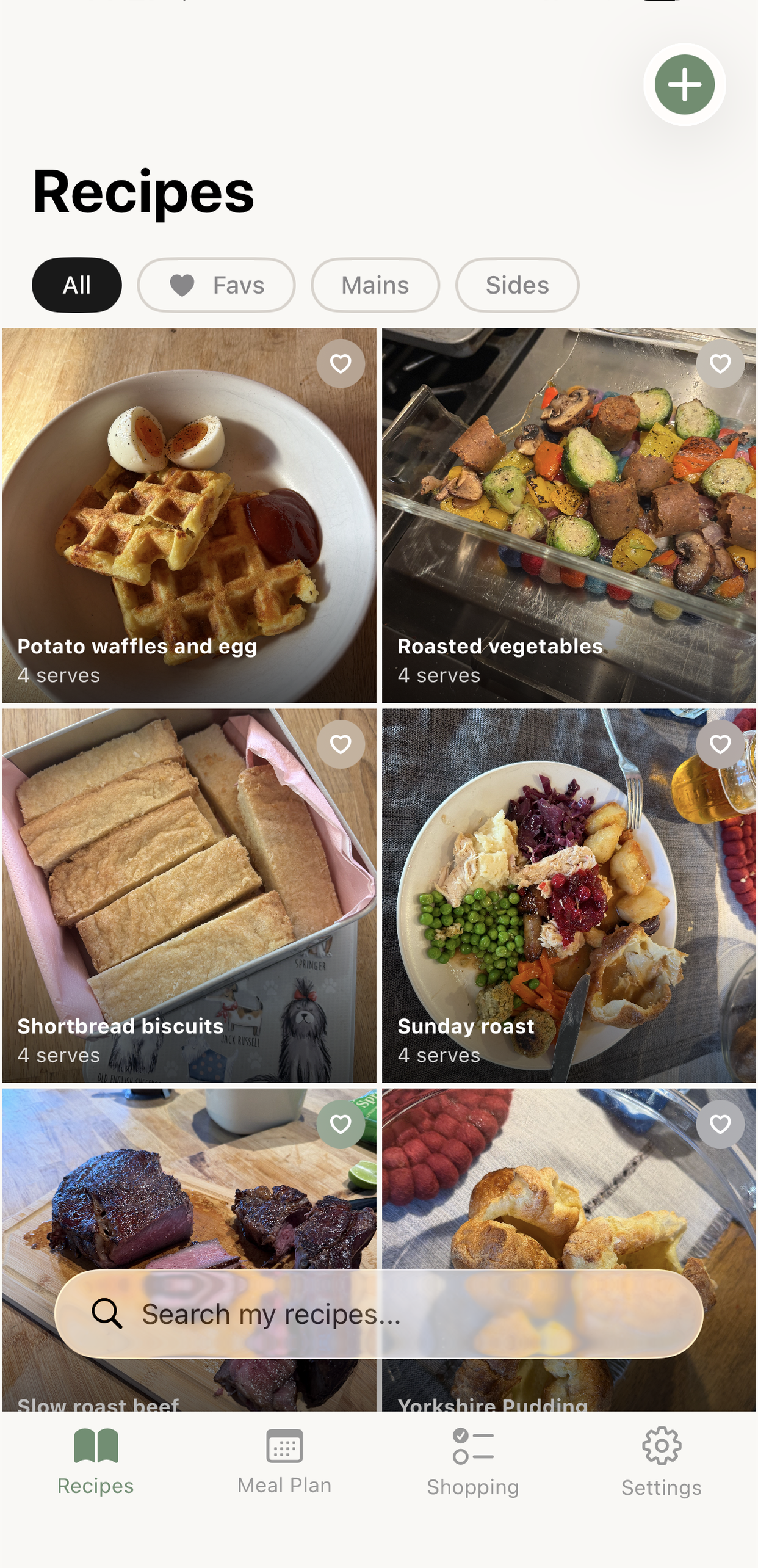
Add some recipes
You've got three ways to get recipes into STOCK:
Share sheet (fastest): Open a recipe website in Safari or Chrome, tap the share button, and choose "Stock It." The app strips out the blog fluff and pulls clean ingredients and steps.
Photo/OCR: Tap the + button, choose Photo, and point your camera at a cookbook page or handwritten recipe.
Manual entry: Tap +, choose Manual, and type it in yourself.
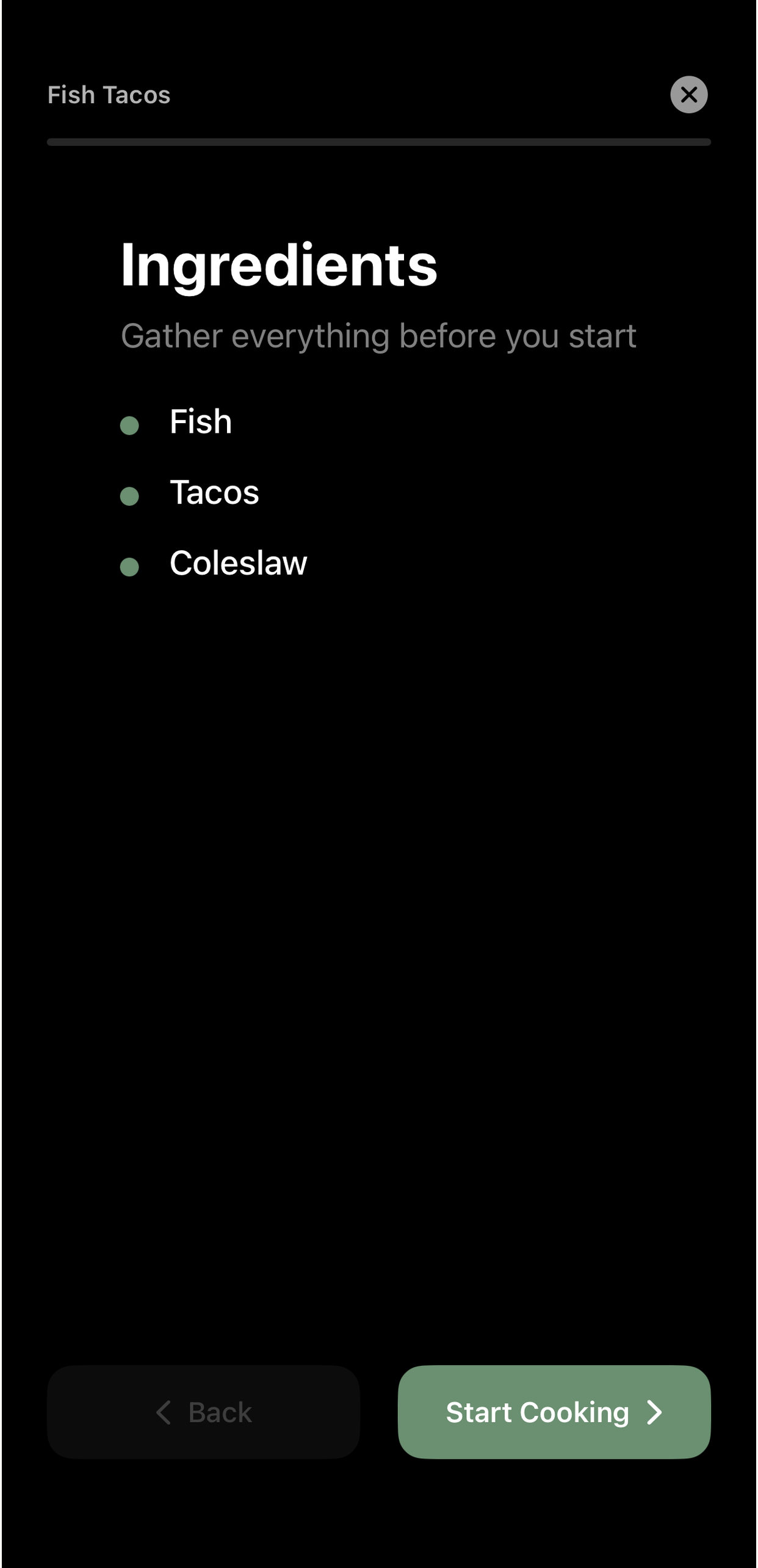
Check a recipe & try cooking mode
Tap any recipe to see its detail view — ingredients, instructions, source link, tags. Everything should look clean and well-formatted.
Then tap "Make It" to enter cooking mode. This gives you a full-screen, dark-background, step-by-step walkthrough. Your screen stays on so you can follow along while cooking.
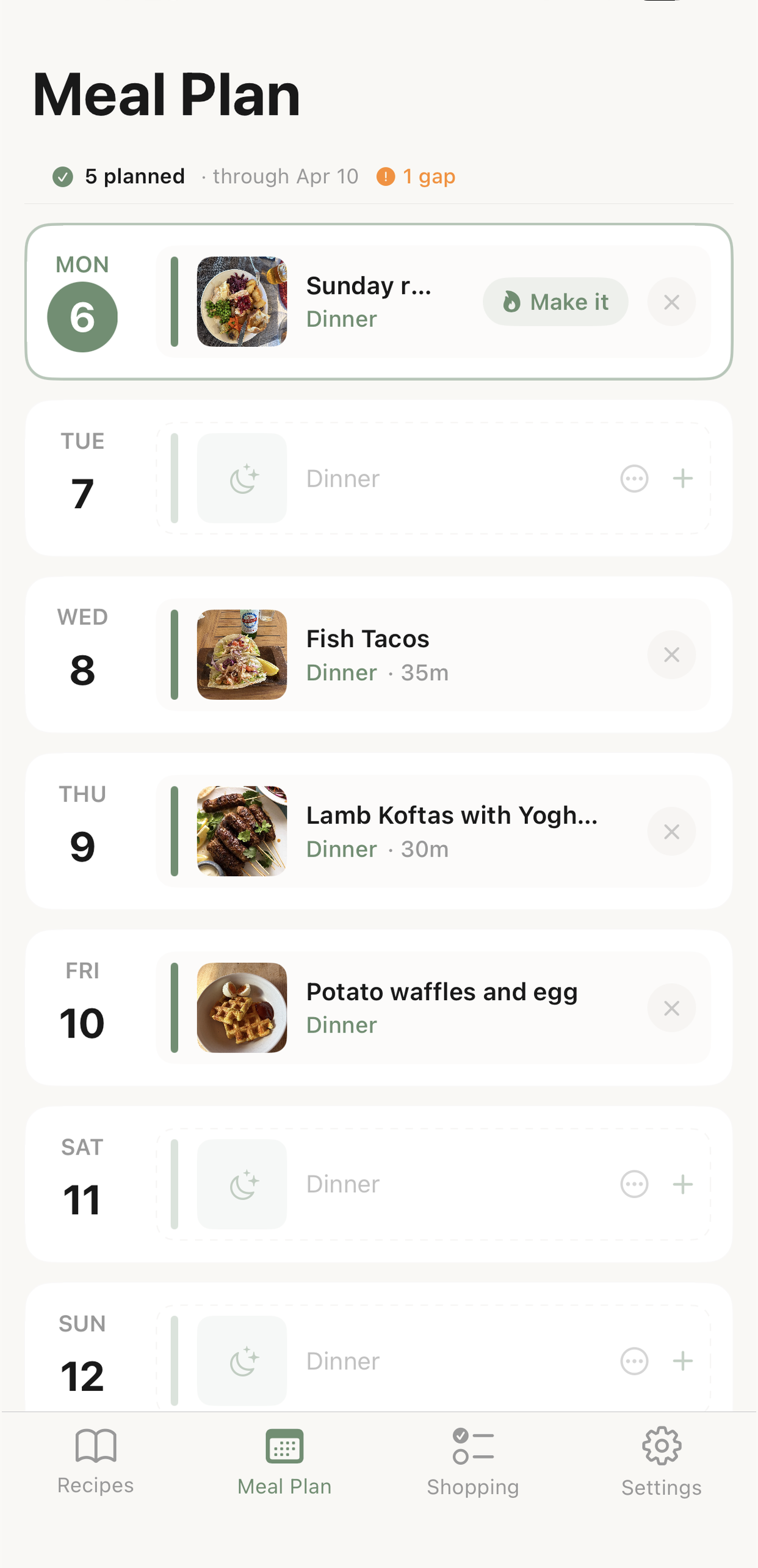
Plan your week
Go to the Meal Plan tab. You'll see a rolling 14-day calendar with slots for breakfast, lunch, and dinner (you can toggle which meals to show in Settings).
Tap the + on any day to add a recipe from your library. You can also add non-recipe meals like "Takeout" or "Leftovers."
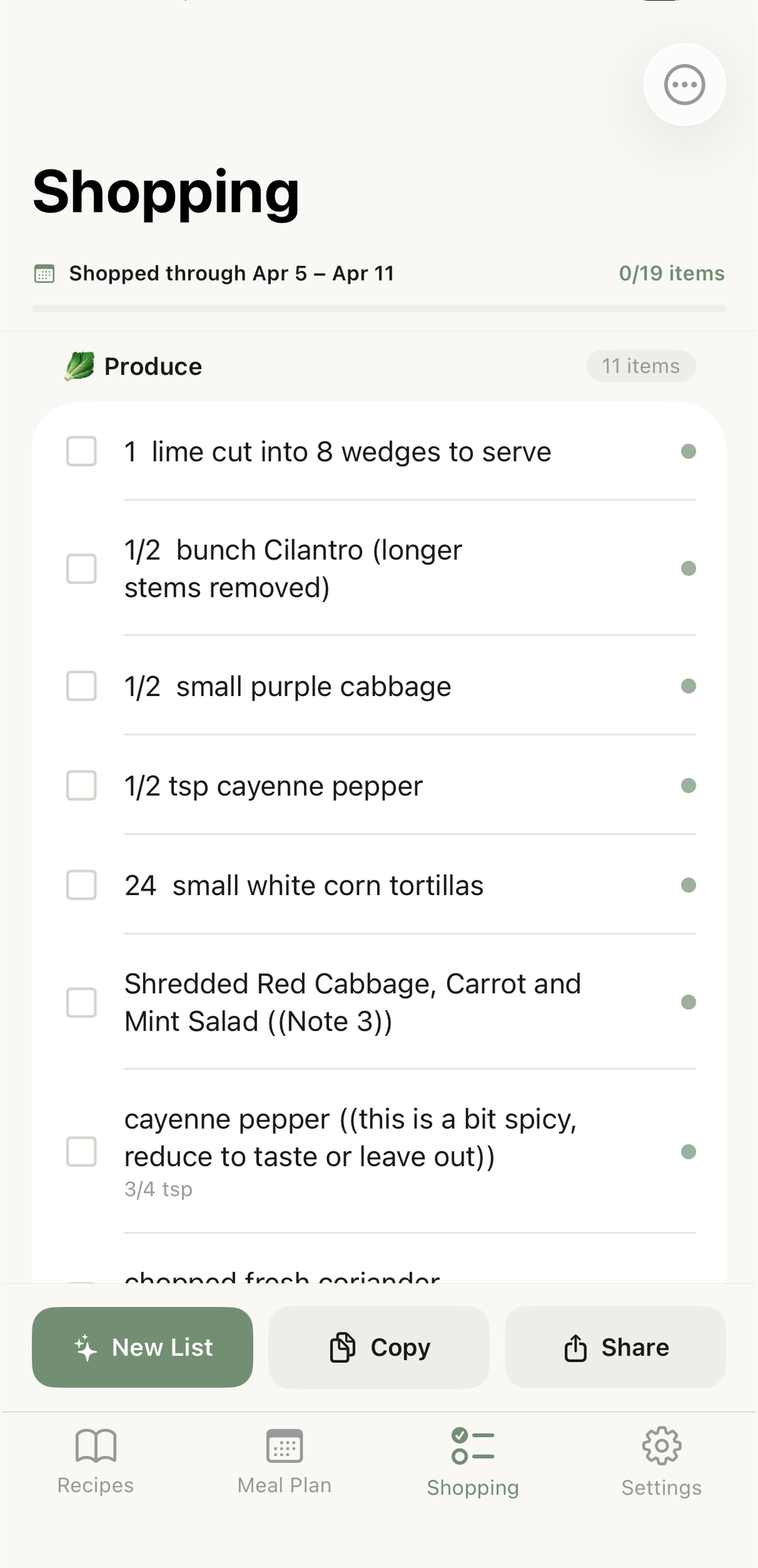
Generate your shopping list
Go to the Shopping tab and tap "Generate Shopping List." STOCK pulls every ingredient from your planned recipes, combines duplicates, groups by category (Produce, Dairy, Meat, Pantry, etc.), and removes items from your store cupboard.
You can check items off at the store, add items manually, and share or copy the list.
Set up your store cupboard
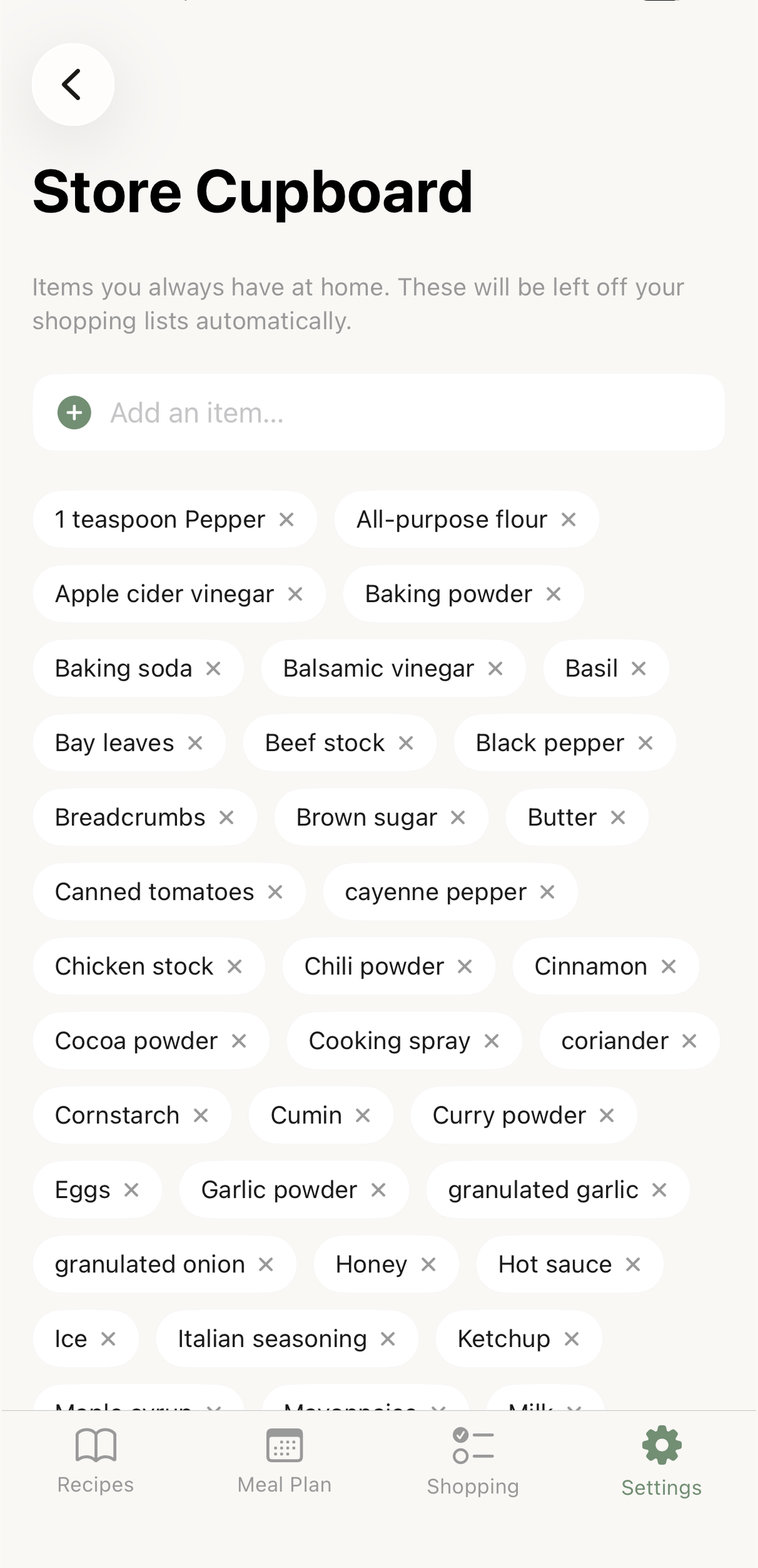
Go to Settings → Store Cupboard. This is your list of ingredients you always have at home. STOCK pre-loads 42 common staples. Add or remove items to match your actual kitchen.
Anything in your store cupboard is automatically excluded from shopping lists.
Invite your household
Go to Settings → Manage Family. If you're the first person, you'll create a new household and get a 6-character invite code. Share that code with up to 5 other people.
Everyone in the household shares the same recipe library, meal plan, and shopping list. Changes sync in real time.
Set up notifications
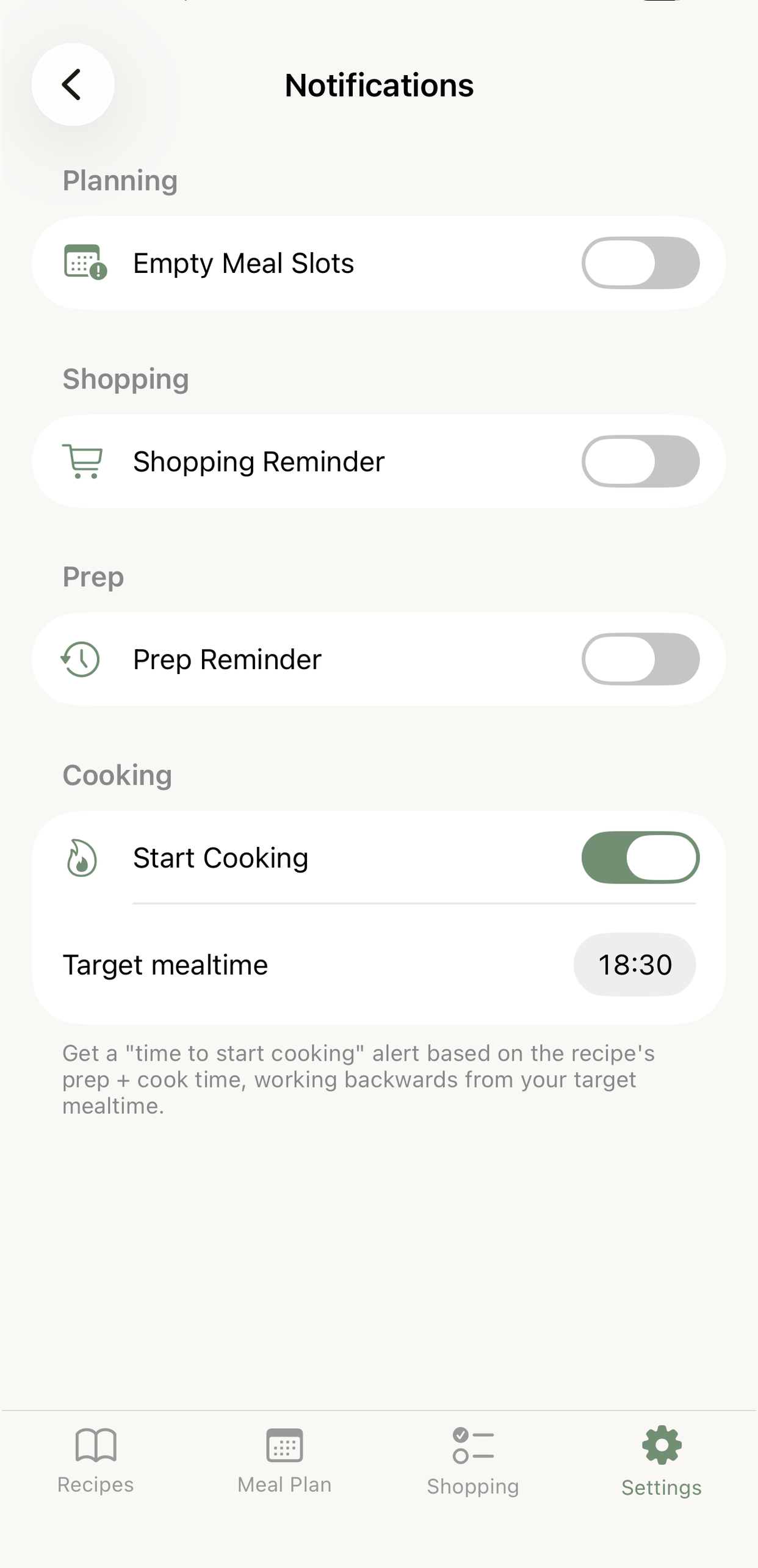
Go to Settings → Reminders. STOCK has four notification types:
Empty Meal Slots: Reminds you to fill gaps in your meal plan.
Shopping Reminder: Nudges you to shop before the week starts.
Prep Reminder: Alerts for recipes that need advance prep.
Start Cooking: Set your target mealtime and STOCK works backwards from prep + cook time to tell you when to start.